• Fleet-wide IP Blocking
  • Cross-Site Analytics
  • Critical Alerts
  • WP-CLI Anywhere
  • Plugin Fleet Intelligence
Fleet operations for Kinsta-hosted WordPress sites

Go beyond site-by-site management.

210Console adds the fleet-wide operations layer that multi-site teams need: cross-site security actions, combined analytics, human-readable error intelligence, plugin fleet workflows, WP-CLI access, and a clear view of what needs attention.

Built for agencies Works across your fleet Desktop + mobile Action-oriented
210Console
Fleet connected
Agency workspace48 managed sites
Synthetic demo data
Needs Attention Inbox73 high priority
PHP fatals14across 6 sites
Blocked IPs23fleet-managed
Plugin drift11version cohorts
Needs Attention InboxView all
PHP fatal signature spreading4 sites • latest 6 min ago
Investigate
Vulnerable plugin on live sites6 installs • 2 version cohorts
Review
Noisy IP across multiple sites8 sites • 1,842 requests
Inspect
The capabilities that change how you work

The things you should not have to do one site at a time.

These are the workflows that make 210Console more than another dashboard. They are designed around the reality of managing a fleet.

01
Cross-site security action

Block an IP across every managed site in one action.

Investigate an IP once, choose the scope, record why it was blocked, set a temporary or permanent duration, and apply the decision across the fleet without repeating the same operation site by site.

Single-site or all-sites scopeReason / memo preservedTemporary or permanentCentral unblock workflow
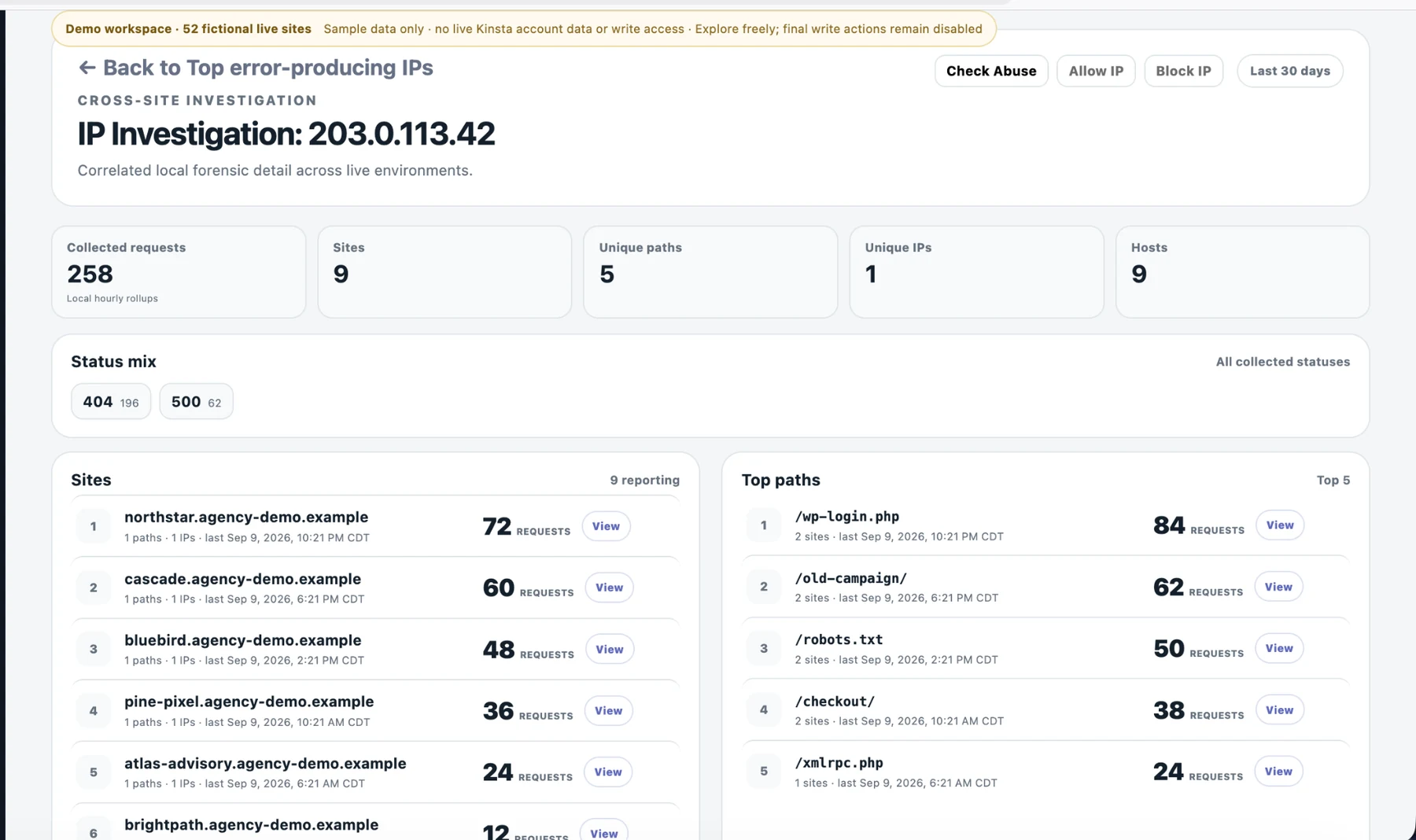
Actual public demo · synthetic dataExplore IP investigation →
210Console public demo showing cross-site IP investigation, affected sites, request status mix and top paths
02
Operational memory

Keep a global allow list — and remember why an IP belongs there.

An allow list without context becomes tribal knowledge. 210Console keeps the IP and the reason together so your team can understand why a trusted source was allowed weeks or months later.

Fleet-wide allow listReason includedShared team contextClear allow / block status
Global IP Allow List
IPReasonStatus
198.51.100.24Monitoring serviceAllowed
192.0.2.81Client officeAllowed
203.0.113.7Uptime checksAllowed
03
Fleet analytics

See all your sites’ important data on one page.

Stop clicking into one site, backing out, and opening the next. All Sites Data and Data Views bring reusable analytics and cross-site patterns together so you can scan the fleet first and drill down only when something deserves it.

Visits, bandwidth, disk4xx and 5xx contextTop paths and referrersIPs seen across sitesFatal Errors across sitesMultisite hostname awareness
WordPress Multisite awareness See which Multisite domain actually received the traffic.

210Console understands WordPress Multisite hostnames, so analytics can identify the actual subsite domain behind a request instead of leaving you with paths alone.

All Sites Data
Visits1.84M
Bandwidth2.7 TB
5xx2,418
48 sites combinedView fleet details →
04
Human-readable investigation

Turn error logs into something you can actually investigate.

210Console transforms recurring PHP fatal evidence into readable rows with message, file, probable source, first and latest observation, count, and affected-site context. Then you can drill down instead of hunting through raw log lines.

Readable fatal signaturesProbable sourceFirst / latest seenOccurrence countsCross-site drill-down60-day normalized context
Fatal Errors
PHP Fatal37 occurrences
Call to undefined method PaymentGateway::capture()wp-content/plugins/example-payments/includes/class-checkout.php:214
Probable source example-paymentsSites affected 4Latest 8 min ago
client-store.com18latest 8m
events-example.org11latest 22m
shop-demo.net8latest 41m
05
WP-CLI anywhere

Run WP-CLI from 210Console — on desktop or from your phone.

Open the site context, launch the integrated WP-CLI terminal, and run useful WordPress commands without separately logging into a server. The same workflow remains usable when you are away from your desk.

Integrated WP-CLI terminalDesktop + mobileSite-context workflowCurated WP-CLI helpNo separate server login
WP-CLI · production
$ wp plugin list --status=active

name           status   update  version

woocommerce    active   none    10.2.1

wordfence      active   avail   8.1.2

$
Needs Attention Inbox

Open the console and know what deserves review first.

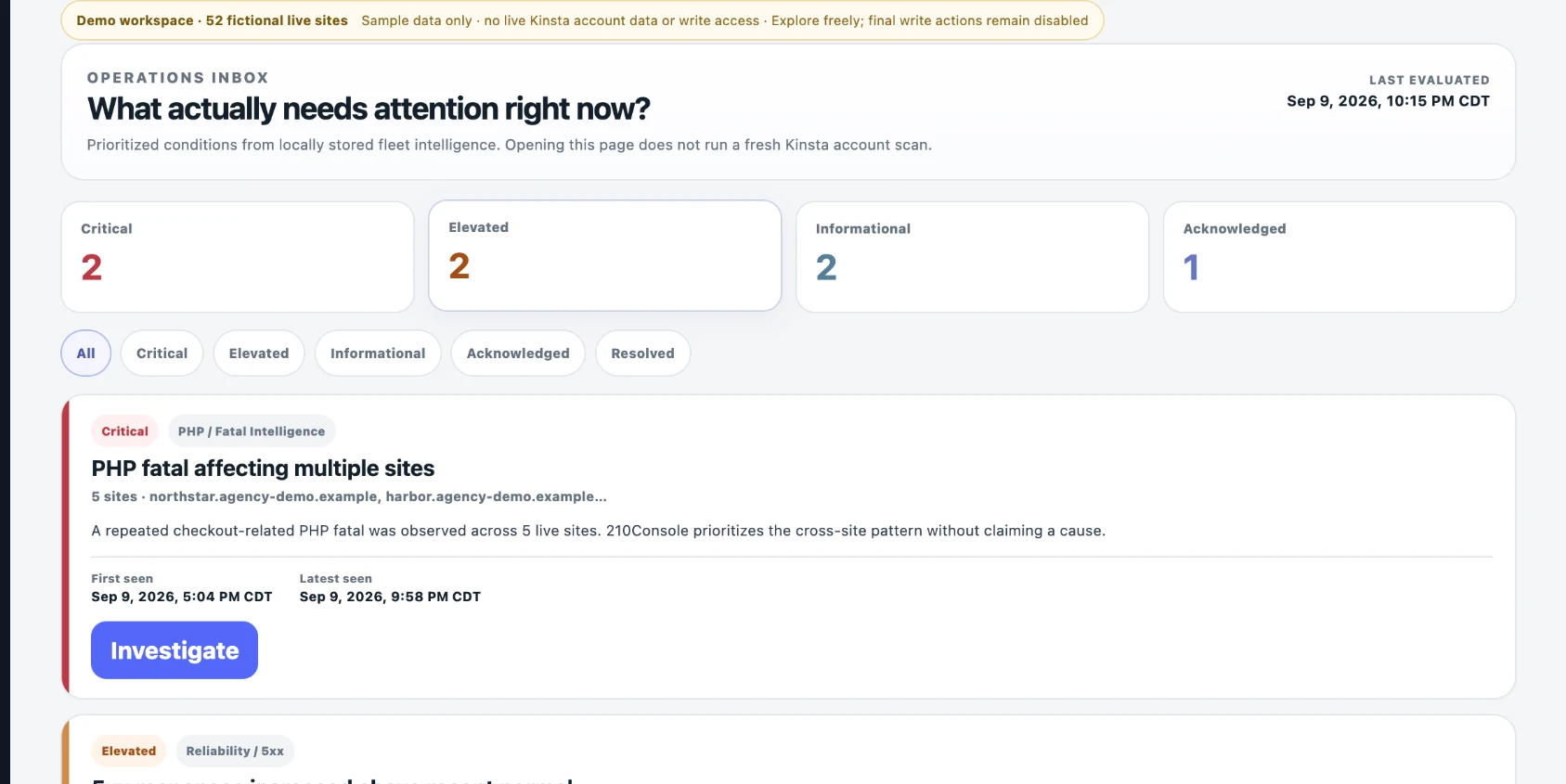
210Console does not just collect data. Needs Attention Inbox evaluates meaningful conditions across the fleet and turns them into a prioritized operational inbox with a direct path to investigation.

Actual public demo · 52 fictional live sitesOpen Needs Attention Inbox →
210Console public demo Needs Attention Inbox showing prioritized critical, elevated, informational and acknowledged conditions
Plugin Fleet Intelligence

Know what is installed, where it is drifting, and how to roll out an update more safely.

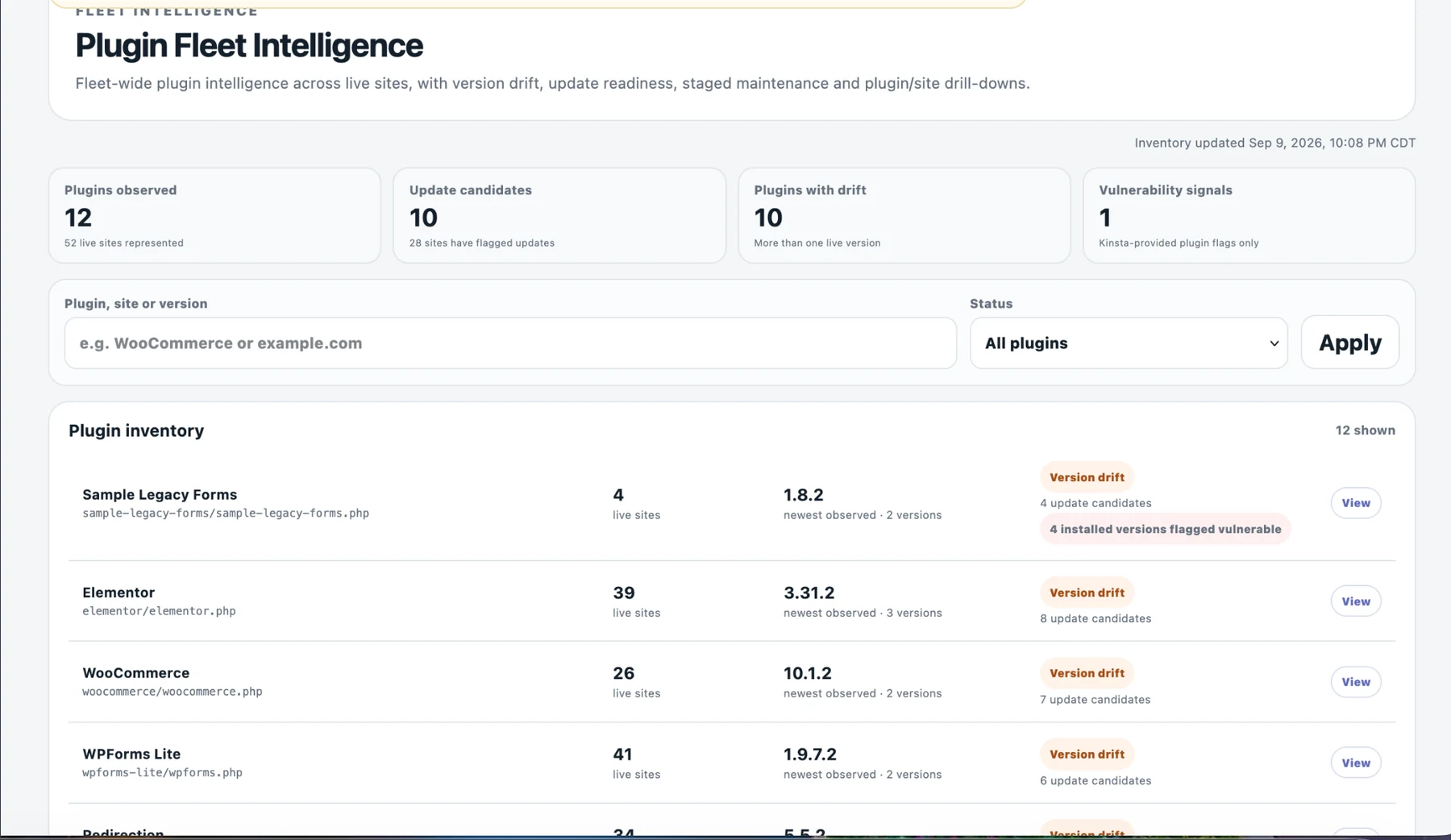
Plugin Fleet is not a generic “update everything” button. It combines cross-site inventory, installed-version cohorts, vulnerability intelligence, explicit live-site targeting, authoritative installed-version checks, and staged update workflows.

01See version cohorts

Understand which sites are on which installed versions before changing anything.

02Select live targets

Choose exactly which live sites participate instead of treating the fleet as one blind batch.

03Canary 1 → 2 → 3

Roll out in bounded stages with backup-before-write, sequential processing and stop-on-failure behavior.

04Check what happened

Use operation polling plus bounded post-update health and fatal context.

Actual public demo · synthetic plugin fleetExplore Plugin Fleet →
210Console public demo Plugin Fleet Intelligence showing update candidates, version drift, vulnerability signals and plugin inventory
One operational workspace

And there is considerably more underneath those headline workflows.

210Console connects site-level operations with fleet-wide intelligence so you can move from “something looks wrong” to evidence and action without constantly changing interfaces.

Site List

Scan every managed site quickly.

Visits, bandwidth, disk, 4xx, 5xx, recent fatal context and site-level workspace links.

Data Views

Ask questions across the fleet.

IPs seen across sites, top paths, biggest 4xx change, top error-producing IPs, fatal errors, redirects, referrers, hostnames and paths.

Security

Investigate before you act.

Focused IP investigation, abuse checking, blocked-status visibility, reasons, expirations and central unblock management.

Site Tools

Operate without hunting for the control.

Clear cache, restart PHP, Force HTTPS, Search & Replace, WP-CLI and contextual MyKinsta links where appropriate.

Forensics

Keep useful evidence longer.

Rolling 60-day reduced and normalized operational evidence for investigation beyond short upstream log windows.

Team Access

Separate visibility from destructive actions.

Role-aware team workflows, Viewer read-only behavior, strong authentication and a front-end app experience.

210Console•••
Needs Attention Inbox 3 high priority
Fatal spreading4 sites
Plugin risk6 installs
$ wp core version6.8.2
SitesAttentionDataMore
Desktop when you want it. Phone when you need it.

The console travels with you.

210Console uses an app-style mobile interface with fixed navigation and mobile-friendly operational workflows. You can check fleet health, investigate issues, and even use WP-CLI without being tied to a desktop.

Mobile-first navigationPrimary fleet pages remain easy to reach on a phone.
Focused investigationMove from an attention item into the affected site or IP without losing the thread.
Real operationsSupported tools and WP-CLI remain available from the same site context.
Public read-only demo

Do not just read about it. Explore a realistic agency workspace.

The live public demo uses a large synthetic fleet so you can click through real 210Console workflows. Action modals remain explorable, but execution is disabled and no real Kinsta account or customer data is connected.

Open the Live Demo Read only · synthetic data · no account required
FAQ

Built to complement the way you already host.

Is 210Console an official Kinsta product?

No. 210Console is an independently developed and maintained plugin powered by the Kinsta API. It is not an official product of Kinsta

Does 210Console store complete raw logs?

No. It retains reduced, normalized operational evidence for rolling analysis. It should not be described as complete raw-log archival.

Can actions be limited for team members?

Yes. 210Console supports role-aware workflows, including read-only Viewer behavior where destructive actions must not be available.

How can I use 210console for my Kinsta hosted sites?

Fill out the contact form here for Early Access.

Does the public demo connect to real sites?

No. The public demo is isolated, read-only, and populated only with synthetic data. Visitors can explore action workflows, but execution is disabled.

210Console

See the fleet. Find what matters. Act with context.